
Hours in a grid, receipts in a list.
Everything Meridian bills starts here: hours typed into a weekly grid and expenses added to a list, each against a project. Every image on this page is a real capture of Meridian running on the Customer Engagements billing desk of the fictional StrataForge Robotics, run by Emi Maeda.

The weekly timesheet
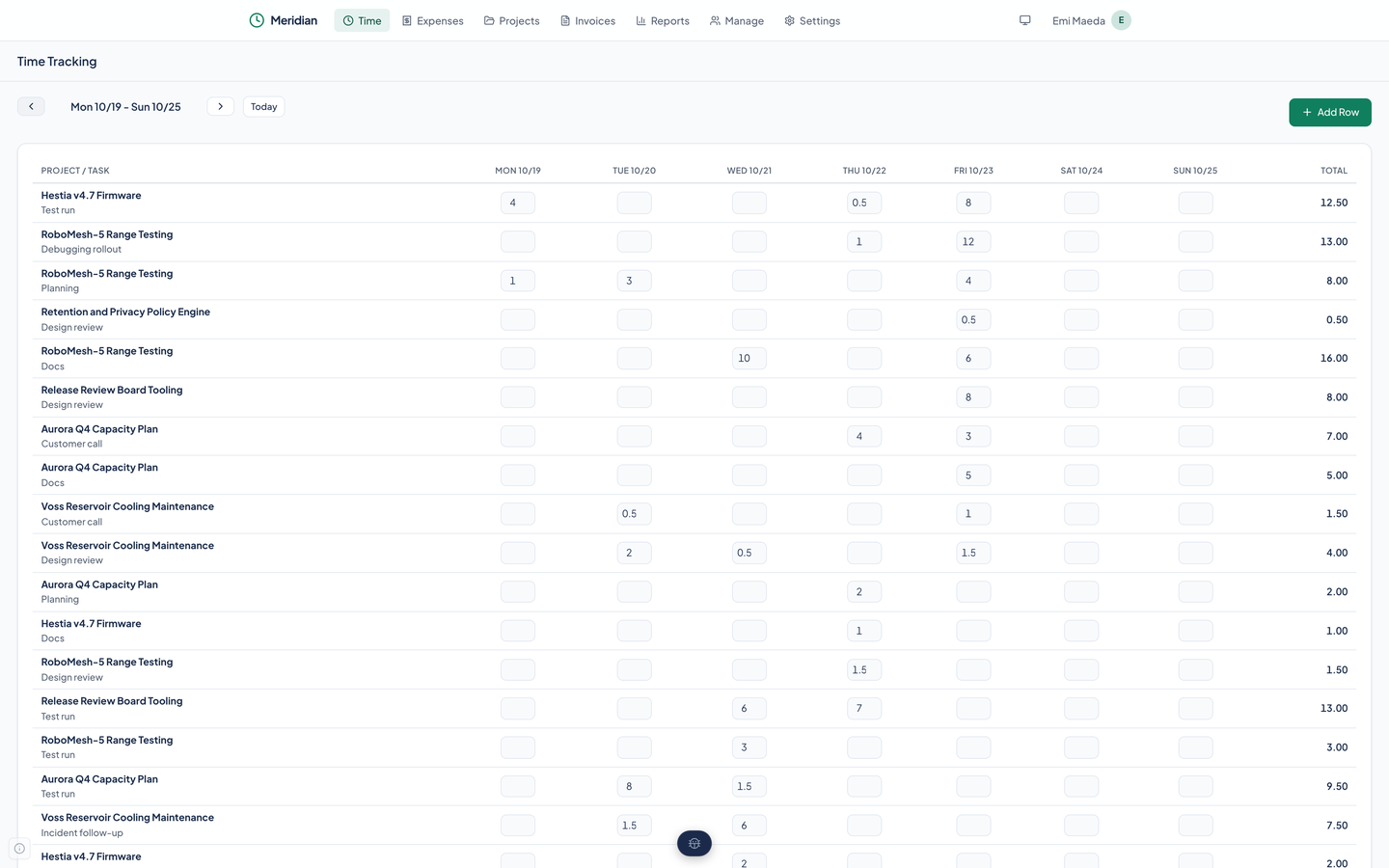
Open Time and you get one week.
Each row is a project and a task, such as Aurora Q4 Capacity Plan and Design review. Each column is a day. Type hours into a cell and move on, with Tab or a click, and the entry saves. The last column totals the row.
The arrows move a week back or forward and Today brings you home. Add Row opens a dialog where you choose a project, a task, a date, and the hours, and the row joins the grid.
The grid shows one entry per project, task, and day. Hours are billed at the rate of the task on the row.
- The grid is a table of editable fields, and each field is labeled with its project and date for assistive technology.
- Entries stay uninvoiced until an invoice takes them, and the new invoice form lists only those.
Filling a month in one go
A retainer bills the same hours every weekday. Meridian has a month fill for that: give it a task, a month, and a number of hours, and it writes an entry for each weekday.
It is an API call and an agent tool, fill_month. The web app has no button for it yet.
Expenses
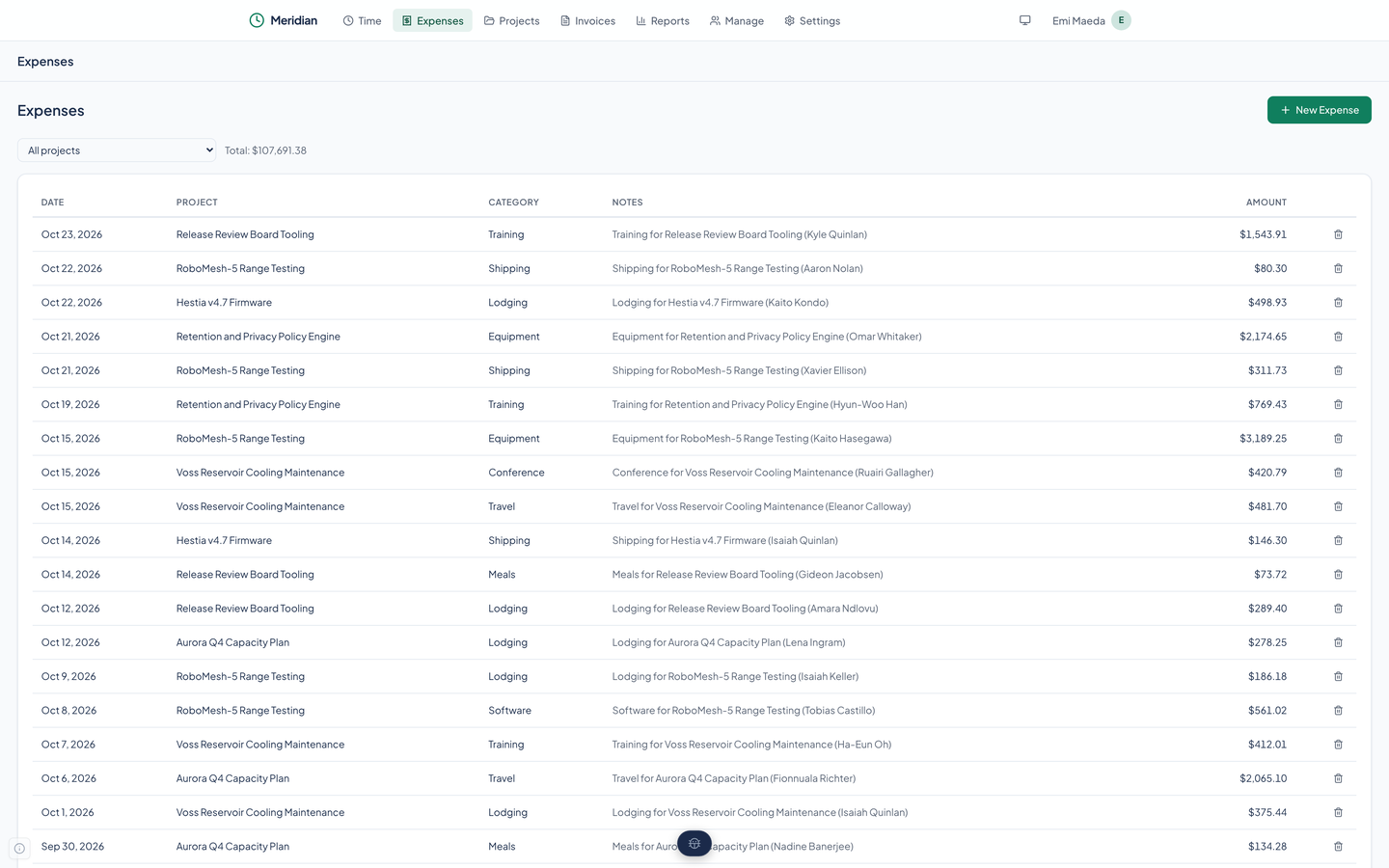
Expenses is a list with a project filter and a running total above it. New Expense takes a date, a project, a category, an amount, and a note. A trash button removes one.
Meridian creates six categories the first time it loads: Entertainment, Lodging, Meals, Mileage, Other, and Transportation. You add your own on the Manage page, archive those you stop using, and delete a category that nothing refers to.
The API can store a PDF receipt on an expense, and when one exists the list shows a link to it. The web app has no file picker, so receipts arrive through the API.
Where hours and expenses go next
Both feed the invoice. When you start a new invoice for a client, Meridian lists that client's uninvoiced time and uninvoiced expenses side by side, and you tick what to bill.
- Invoicing
- One form, weekly lines, and a PDF. Read how an invoice is built and where it goes.
- Reports
- What has been billed and what is still owed, with a CSV of the invoice report.
Questions about this tool?
Write to Renkara Media Group and a person will answer.