
Who you bill, and for what.
Time and expenses hang off a project, a project hangs off a client, and a client decides when its invoices are due. Meridian keeps those in two places: Projects for the work, and Manage for clients, tasks, and expense categories. The images are real captures of the fictional StrataForge Robotics billing desk.

Clients and their contacts
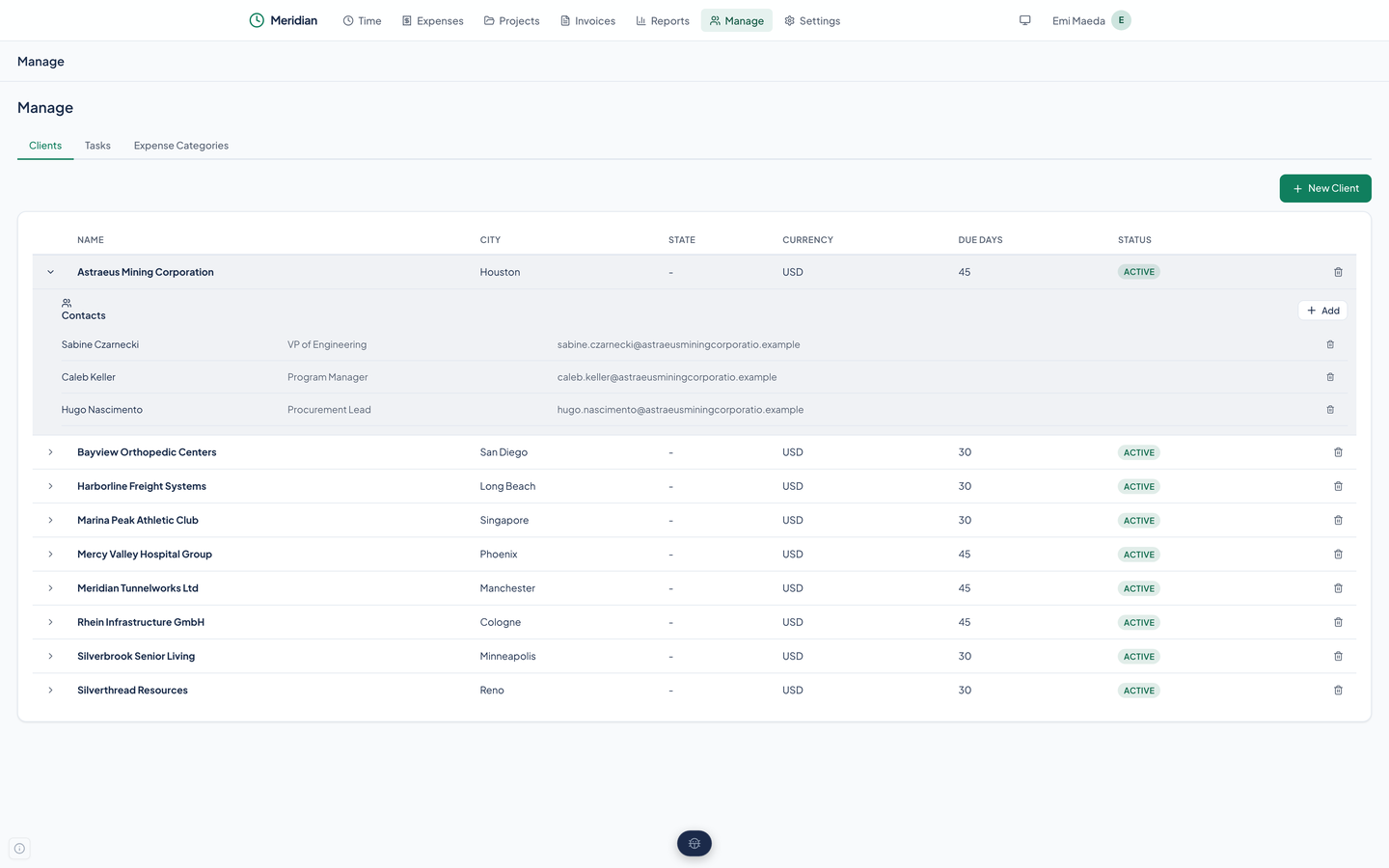
Manage opens on Clients. Each client has a name, an address, a city and state, a currency, and the number of days its invoices are due: the StrataForge desk's clients are on 30 days or 45. Open a client to see its contacts, each with a name, a title, an email address, and phone numbers, and add another from the same panel.
New Client and New Contact are forms in the web app. There is no form to edit either one afterward; the API and the agent tools do that. The API refuses to delete a client that still has projects or invoices.
- The client's due days set the due date on a new invoice. You can change the date before saving.
- A client stores a currency, but amounts are always shown in US dollars today.
Projects
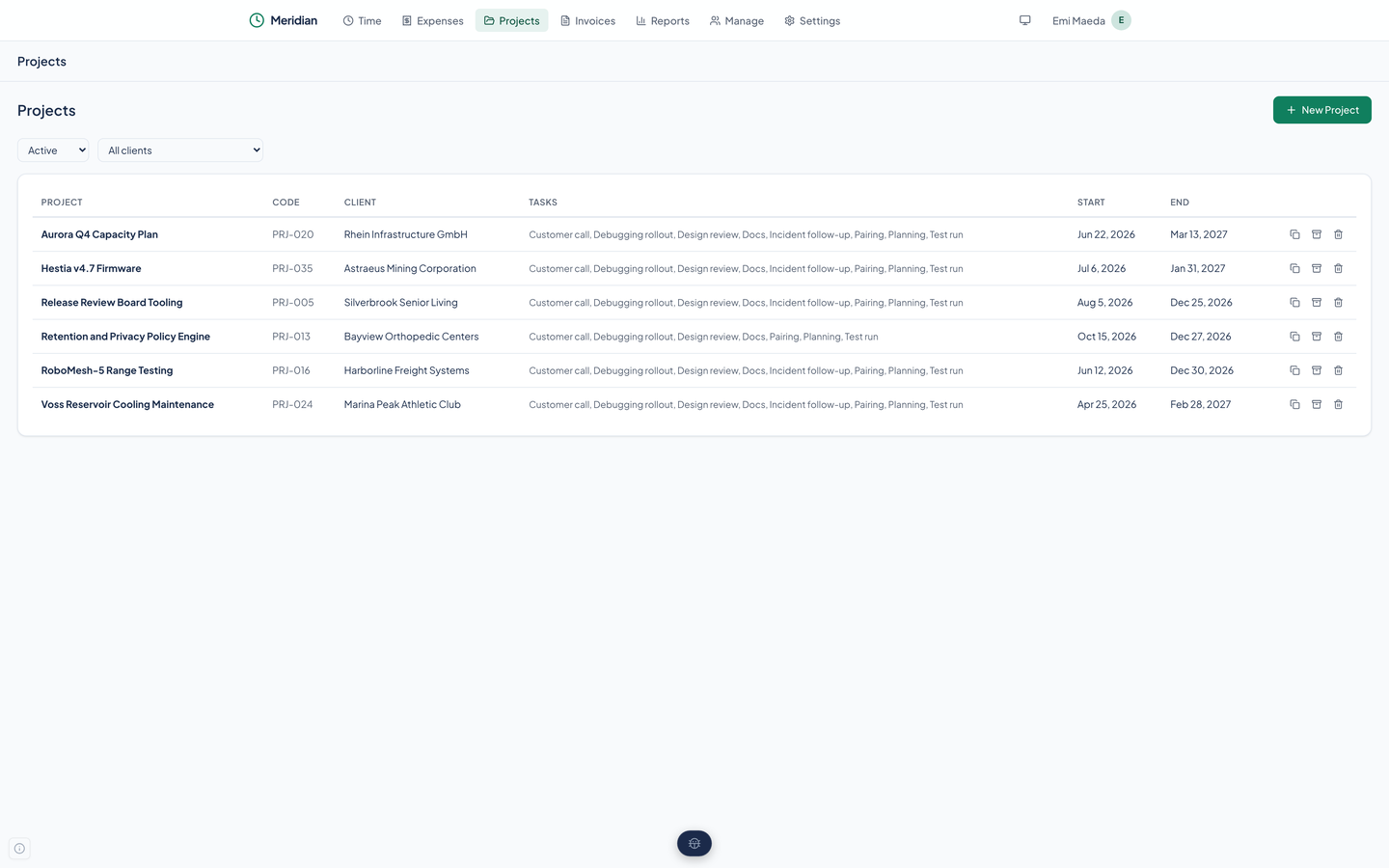
A project has a name, a code such as PRJ-016, a client, start and end dates, and the tasks it can bill. The list filters by status (active or archived) and by client.
Each row has three buttons. Duplicate copies a project, which is how you start the next phase of the same engagement. Archive hides a finished one without losing its history. Delete only works when no time was ever recorded; the API refuses otherwise.
Tasks and their rates
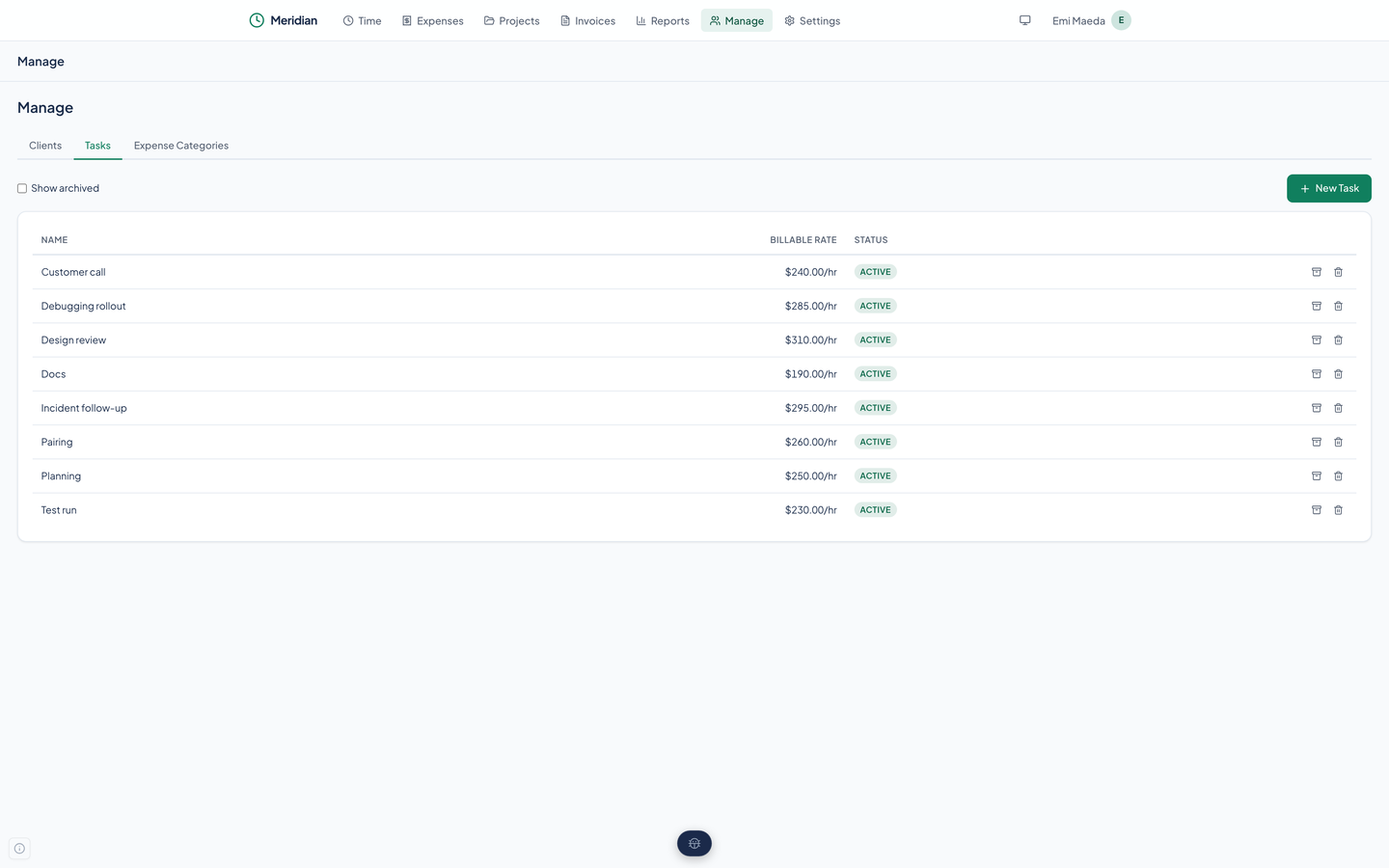
A task is a kind of work with an hourly rate: Design review at $310.00, Docs at $190.00, and so on. A project says which tasks it can bill, and every hour on the timesheet is billed at its task's rate. The Manage page lists the tasks, lets you add one, archive one so it leaves the timesheet, or delete one that has no time recorded against it.
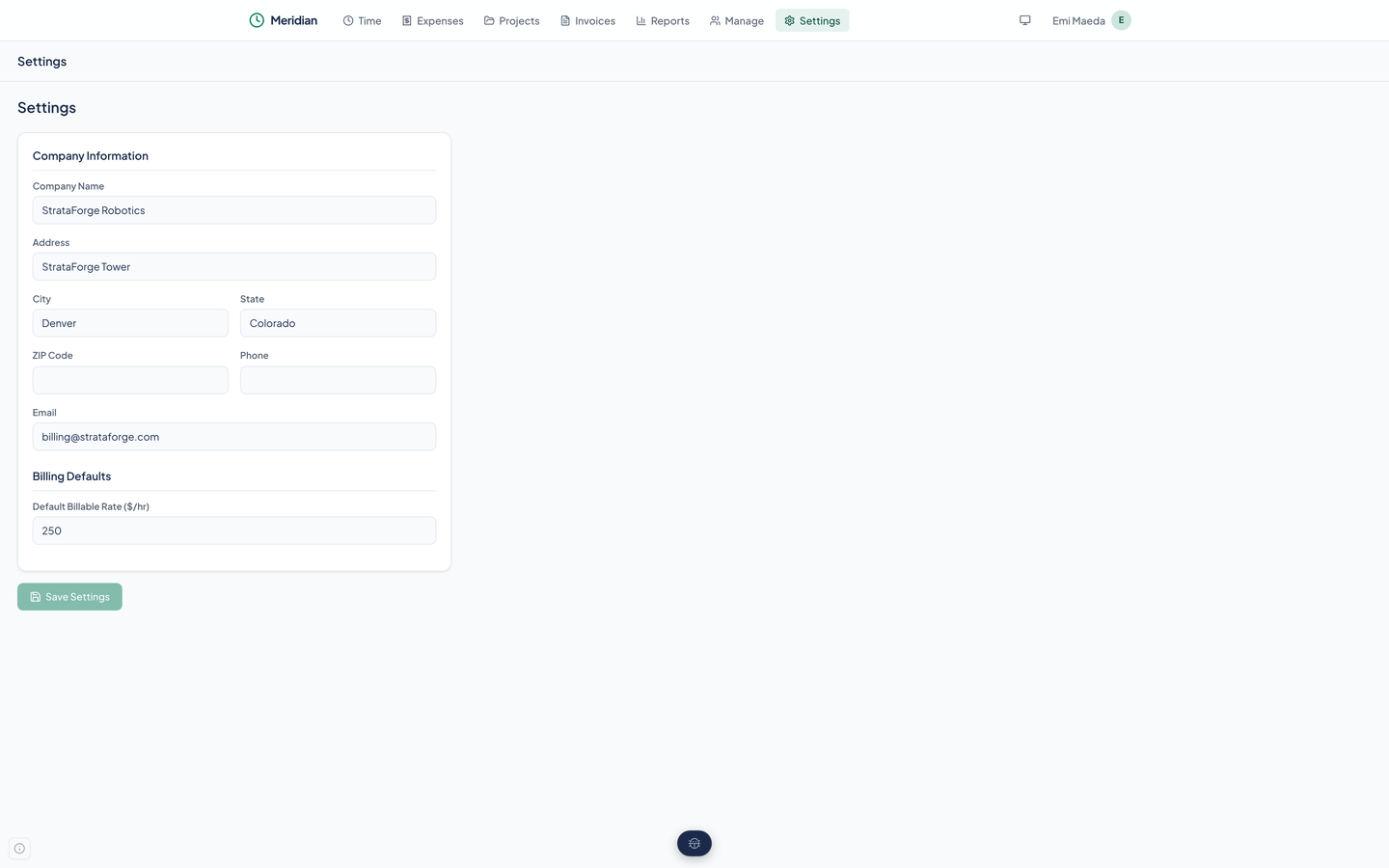
Settings holds a default billable rate, but a new task's rate is $0.00 until you type one, and the default is not applied to it. Enter the rate when you create the task.
Expense categories
The third tab on Manage is Expense Categories. Meridian creates six the first time it loads (Entertainment, Lodging, Meals, Mileage, Other, and Transportation) when there are none. Add the ones you need, archive any you stop using, and delete a category only when no expense uses it.
Company settings
Settings holds your company's name, address, city, state, ZIP code, phone, and email. They print at the top of every invoice and PDF. The page also holds the default billable rate noted above.
Questions about this tool?
Write to Renkara Media Group and a person will answer.