
From unbilled hours to a PDF.
An invoice in Meridian is a snapshot of what has not been billed yet: you pick a client, tick the time and expenses to include, and save. It then moves from draft to sent to paid, with every step written to a history. Meridian does not email it for you. Images are real captures of the fictional StrataForge Robotics billing desk.
Making an invoice
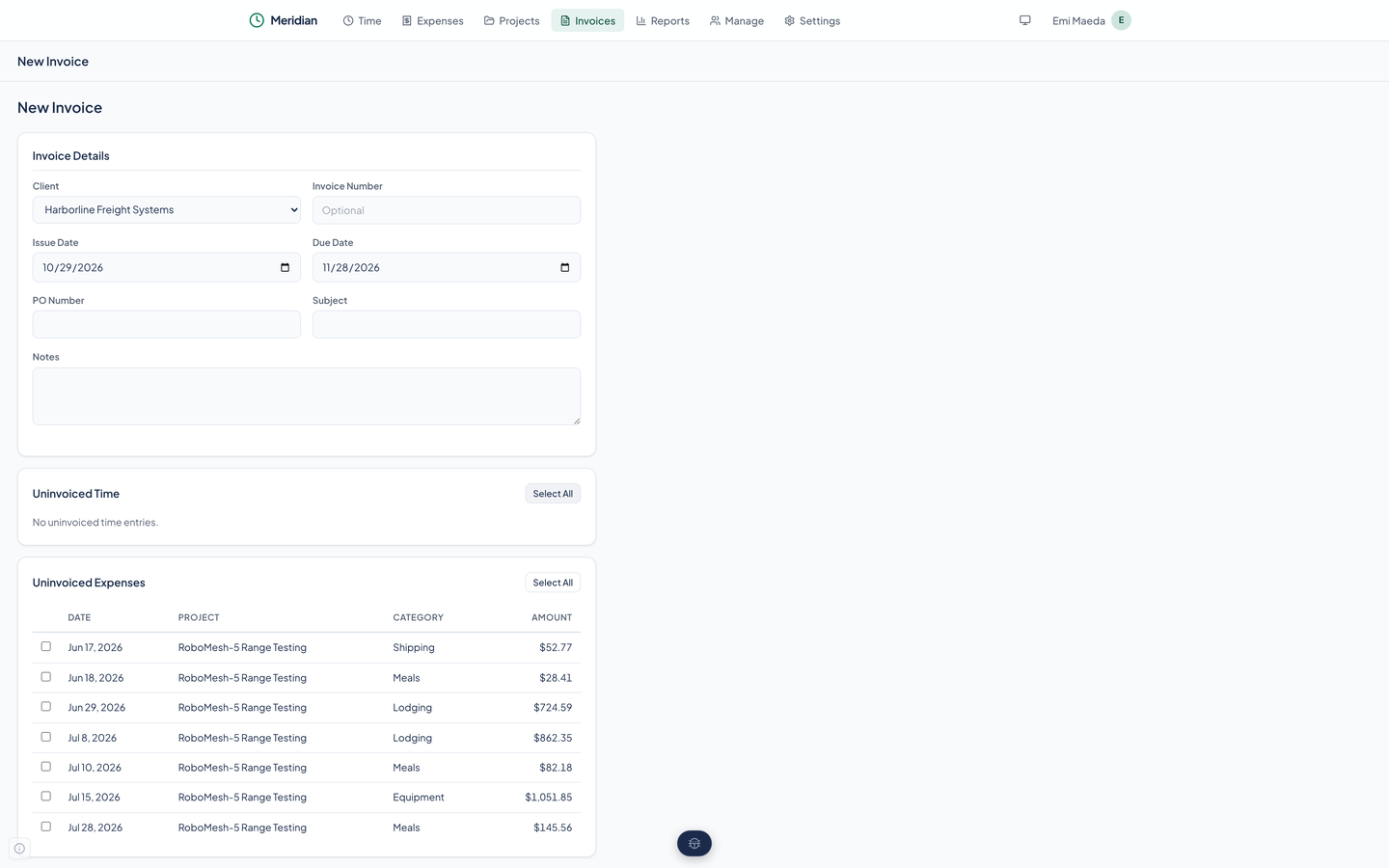
New Invoice is one form, not a wizard.
The invoice number is a text box. Type your own, such as PS-2036-006, or leave it empty. Meridian does not number invoices for you.
Choose the client
The form lists that client's uninvoiced time and uninvoiced expenses. Nothing already on another invoice appears.
Fill in the details
An issue date, a due date (set from the client's due days, and yours to change), an invoice number, a purchase order number, a subject, and notes. Every field but the client and the dates is optional.
Tick what to bill
Each list has a check box on every row and a Select All button. Leave out anything you are not ready to bill; it stays uninvoiced.
Save the draft
Meridian builds the invoice and takes you to it.
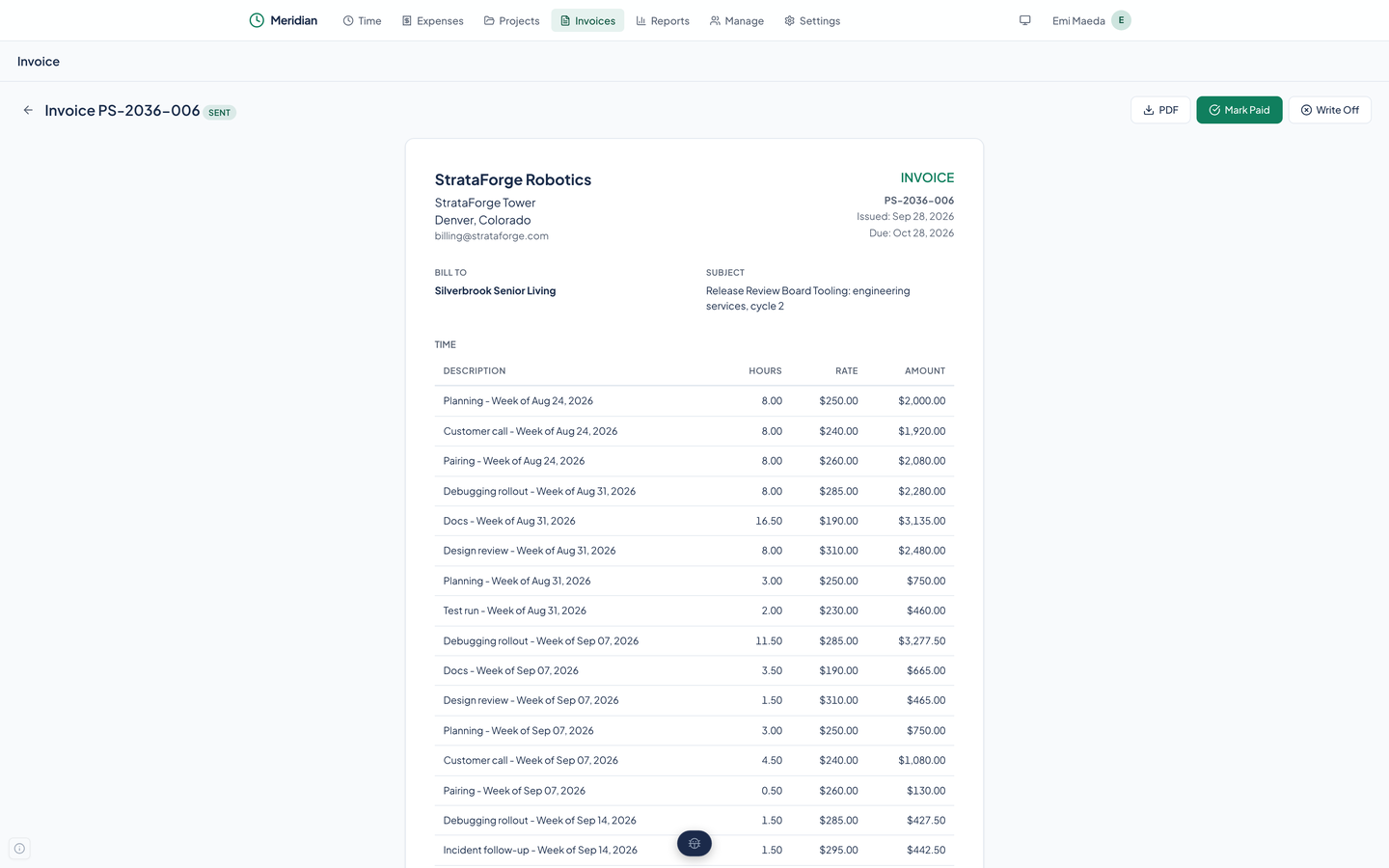
What an invoice contains
Time is billed one line per task per week: a description such as Design review for the week of Aug 31, the hours, the task's hourly rate, and the amount. Expenses follow as lines of their own, and the total sits at the bottom.
Your company's name and address from Settings head the invoice, then the client it bills and the subject. The on-screen invoice and the PDF show the same things.
Draft, sent, paid, written off
An invoice has four states, and the buttons on it change with the state.
Every change is a row in the invoice's History, with what happened and when. Marking an invoice paid also plays a short sound.
| Draft | Fresh from the form. You can send it (Mark Sent) or delete it. Only a draft can be deleted. |
|---|---|
| Sent | You have told Meridian it went out. Mark Paid or Write Off. |
| Paid | Money received. The invoice keeps its history and cannot be changed in the web app. |
| Written off | Abandoned. It stays on record and leaves the receivables report. |
Sending an invoice
Meridian does not send email. Download the PDF, send it yourself by whatever means you use, and press Mark Sent. That records the status and writes a history row. It mails nothing to anyone.
The PDF has your company at the top, the invoice number and dates, who it bills, the lines, the total, and your notes.
The invoice list
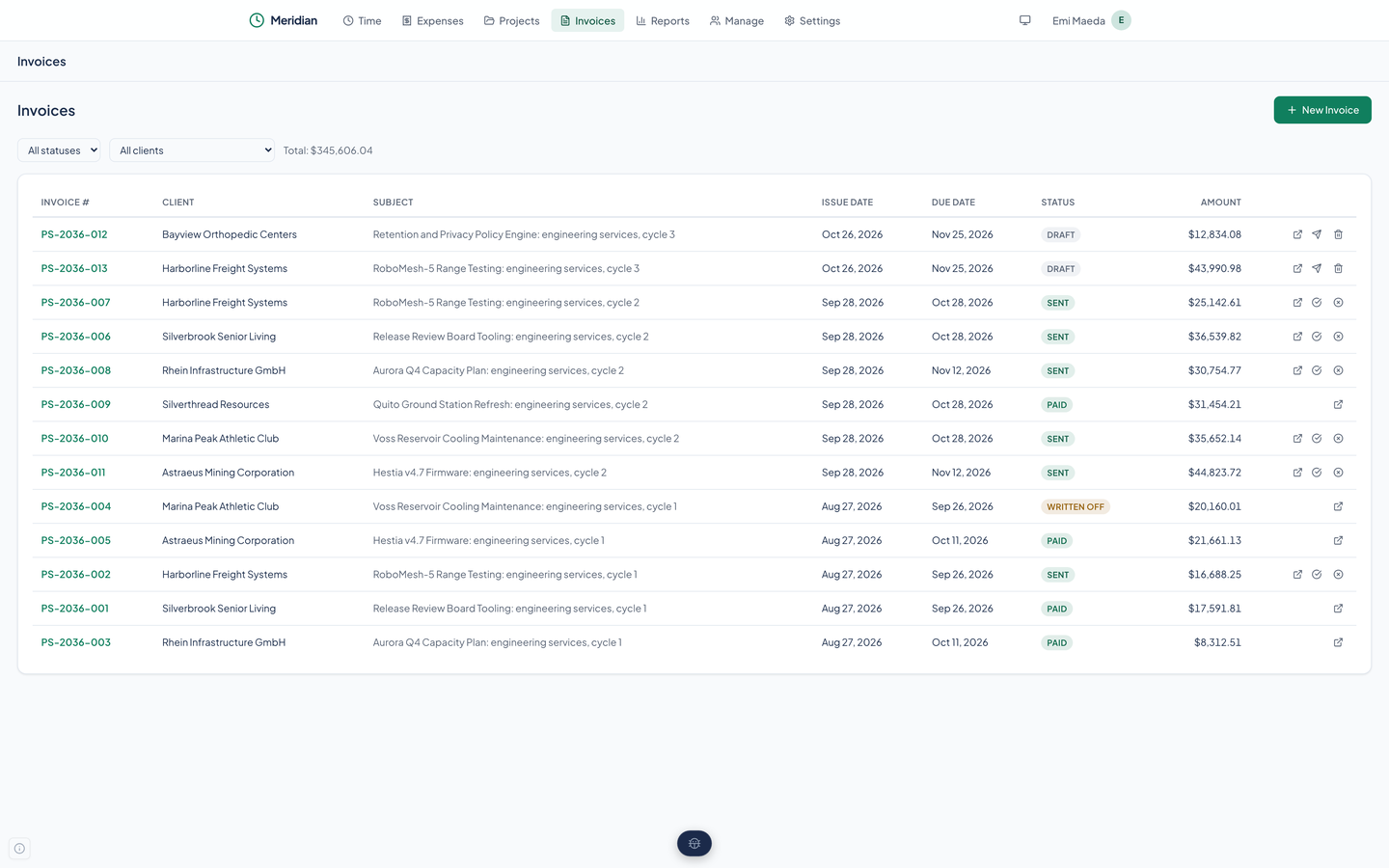
Invoices lists every invoice with its number, client, subject, dates, a status badge, and the amount, and shows the total of what is on screen. Filter by status or by client; the status filter includes Overdue, which finds sent invoices past their due date. The list cannot be sorted. A row's buttons open the invoice, mark it sent, paid, or written off, or delete a draft.
Questions about this tool?
Write to Renkara Media Group and a person will answer.