
A weekly timesheet
One row for each project and task, one column for each day. Type hours into a cell and they save. Step a week back or forward, or jump to today, and every row shows its total.
Meridian keeps a weekly timesheet and expenses for each client, turns unbilled hours into an invoice with a PDF, and shows what is still owed. It does not send email.

Meridian does the plain part of billing well: it holds the hours and the receipts, and it builds an invoice from whatever has not been billed. It does not send the invoice for you.
One row for each project and task, one column for each day. Type hours into a cell and they save. Step a week back or forward, or jump to today, and every row shows its total.
Choose a project, a task, a date, and the hours, and the row joins the grid. Every hour belongs to a project and a task, so it is billed at that task's rate.
Each entry stays uninvoiced until an invoice takes it. The new-invoice form lists exactly those hours, so nothing is billed twice and nothing is forgotten.
One call puts the same hours on every weekday of a month for a task, which suits a retainer. It is an API and agent-tool call today; the web app has no button for it.
Record a date, project, category, amount, and note. Filter the list by project, see the running total, and delete a mistake. A PDF receipt can be stored on an expense through the API.
Meridian starts you with six: Entertainment, Lodging, Meals, Mileage, Other, and Transportation. Add your own on the Manage page, archive the ones you stop using, and delete one that nothing refers to.
A client has an address, a currency, and the number of days an invoice is due. Each client holds contacts with a name, title, email, and phone numbers.
A project has a code, a client, dates, and the tasks it can bill. Filter by status and client, duplicate one to start the next, archive it when it ends, and delete it only if no time was ever recorded.
A task is a kind of work, such as Design review or Customer call, with its own hourly rate, and one task can be attached to many projects. Archive a task to hide it from the timesheet; delete one only if no time was recorded against it.
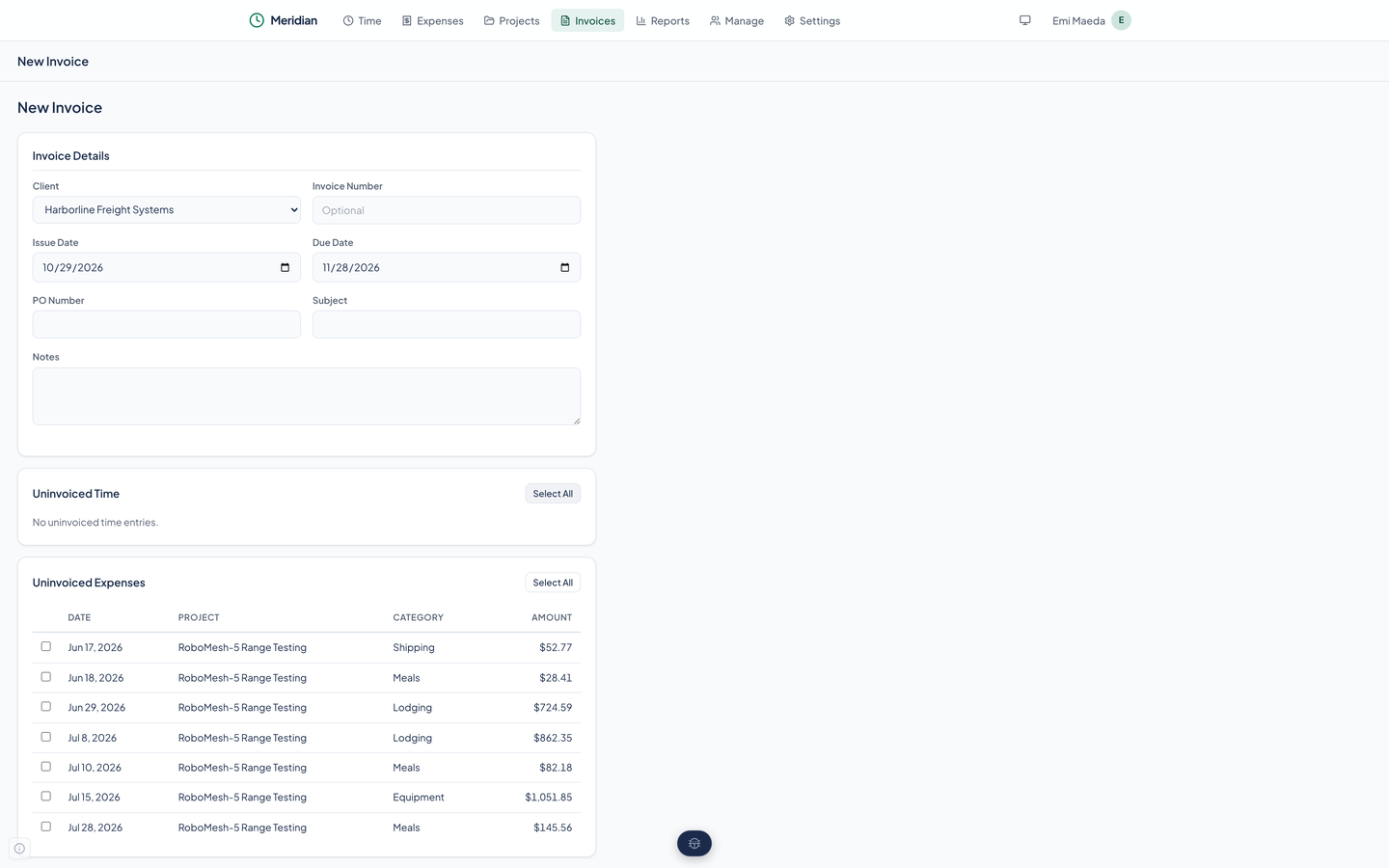
Pick the client, set the dates, and tick the uninvoiced time and expenses to include, with Select All for each list. The due date follows the client's due days.
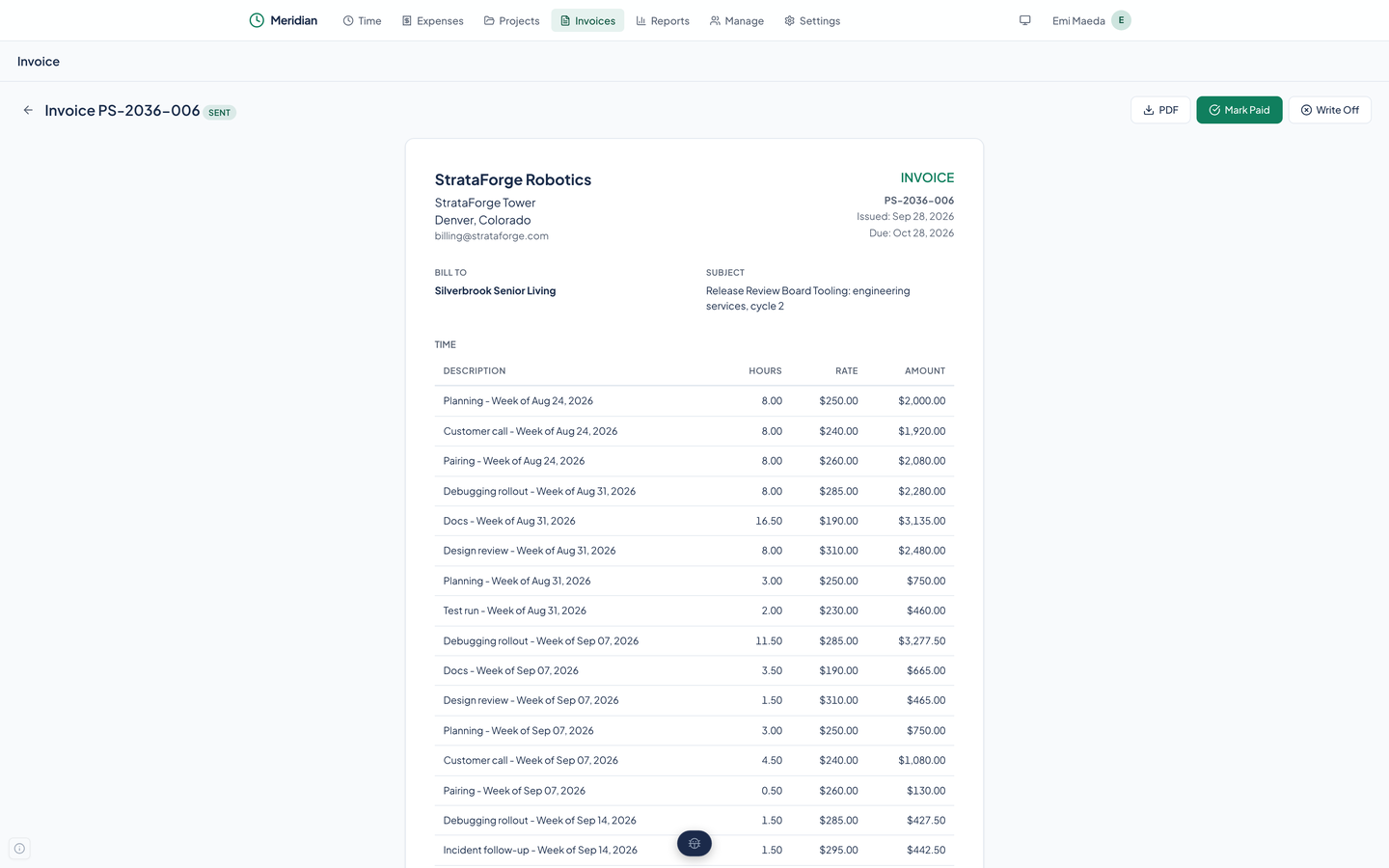
Time is billed as one line per task per week, with hours, the task's rate, and the amount. Expenses are separate lines, and the total sits at the bottom.
An invoice is a draft, then sent, then paid or written off, and every change is written to a history log. Mark Sent only records the status. Only a draft can be deleted.
Download the invoice as a PDF with your company at the top, the client it bills, the lines, and the total. You send it yourself.
Filter invoices by status or client, including an Overdue filter for sent invoices past their due date, with the total of what is showing.
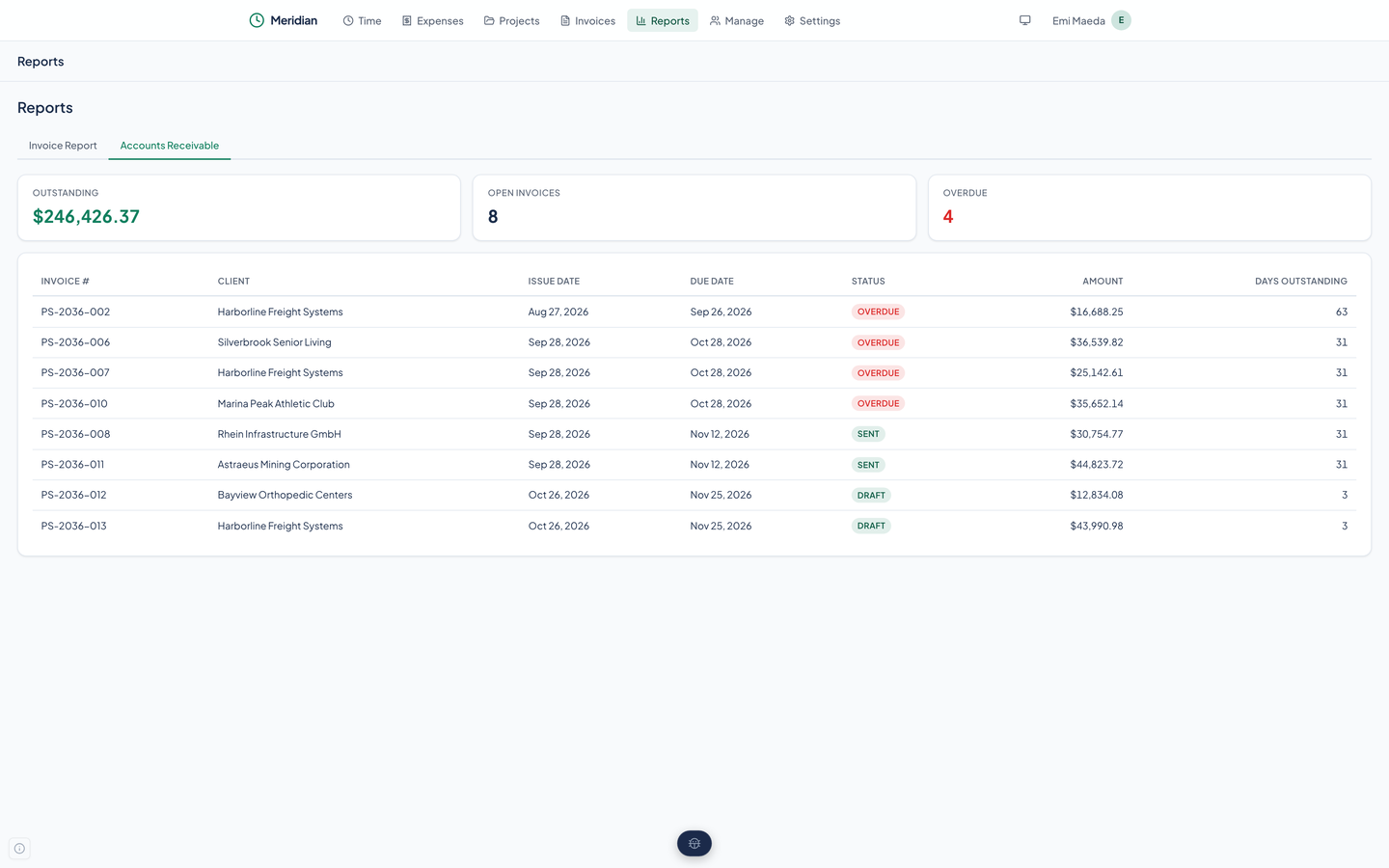
The amount outstanding, the number of open invoices, how many are overdue, and a table of each open invoice with its days outstanding.
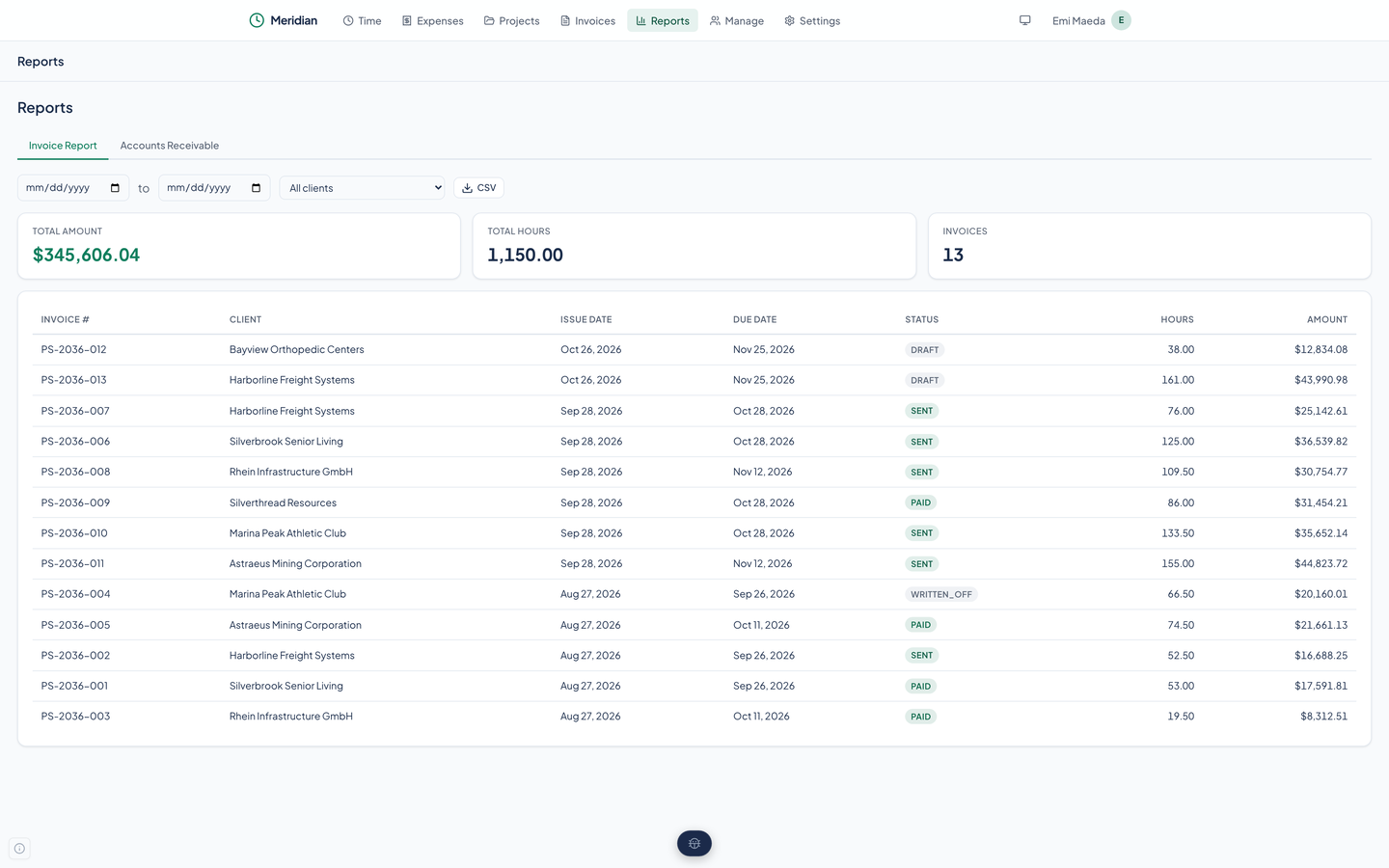
Pick a date range and a client to see the total amount, the total hours, and the invoices behind them, then download the table as CSV.
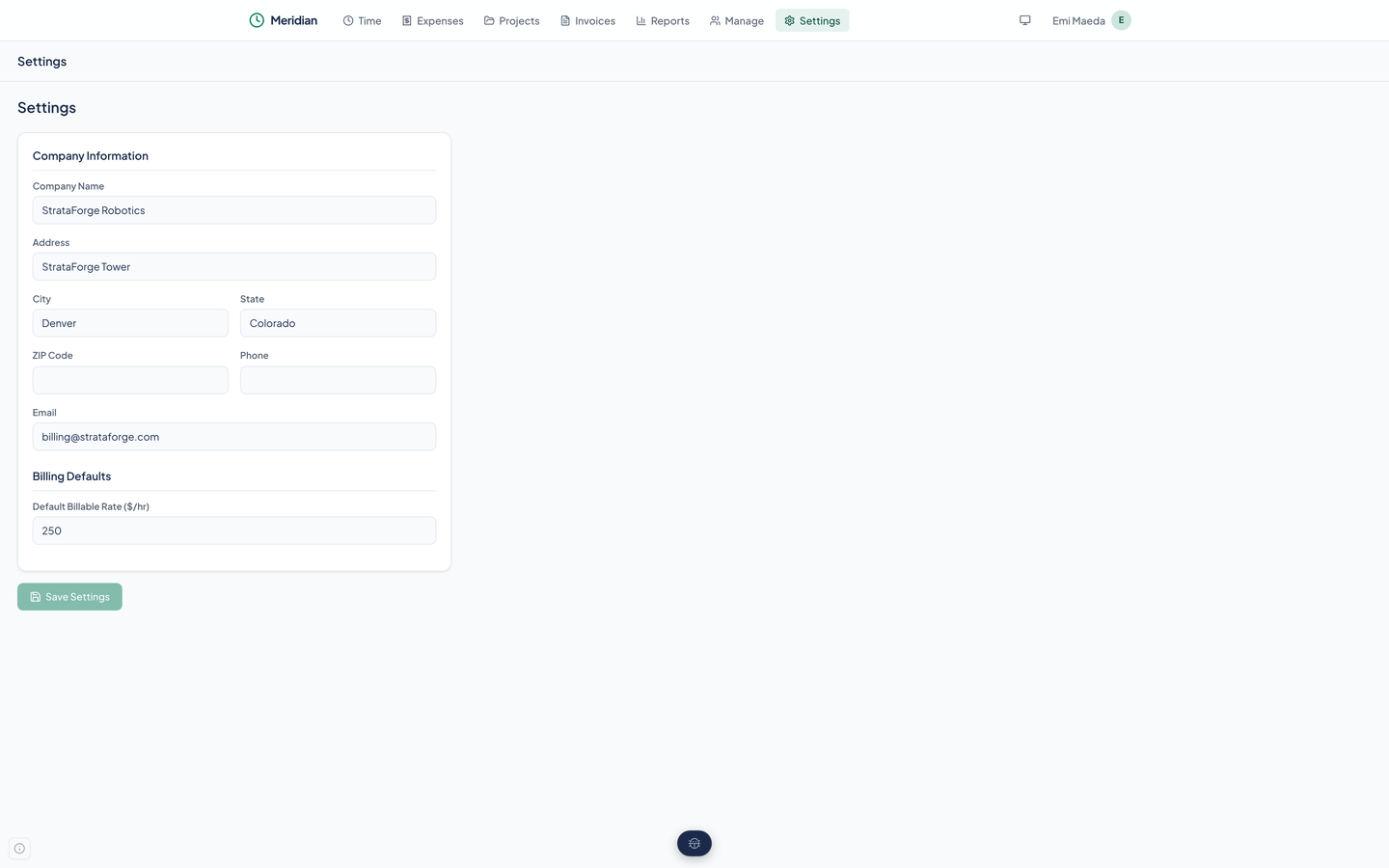
Your company's name, address, phone, and email, printed on every invoice, plus a default billable rate.
Real captures of the running tool, with fictional StrataForge Robotics data. They follow your theme.
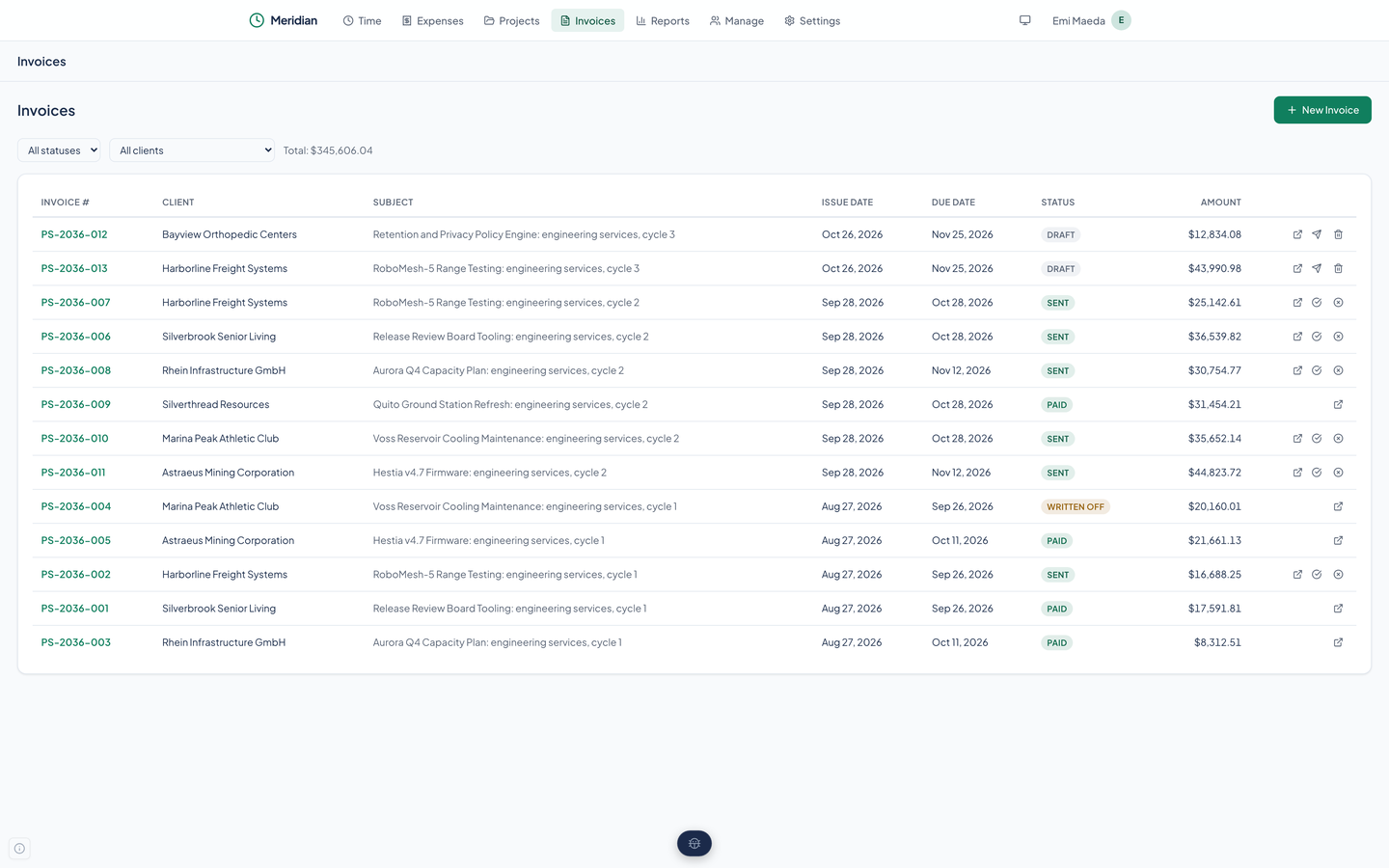
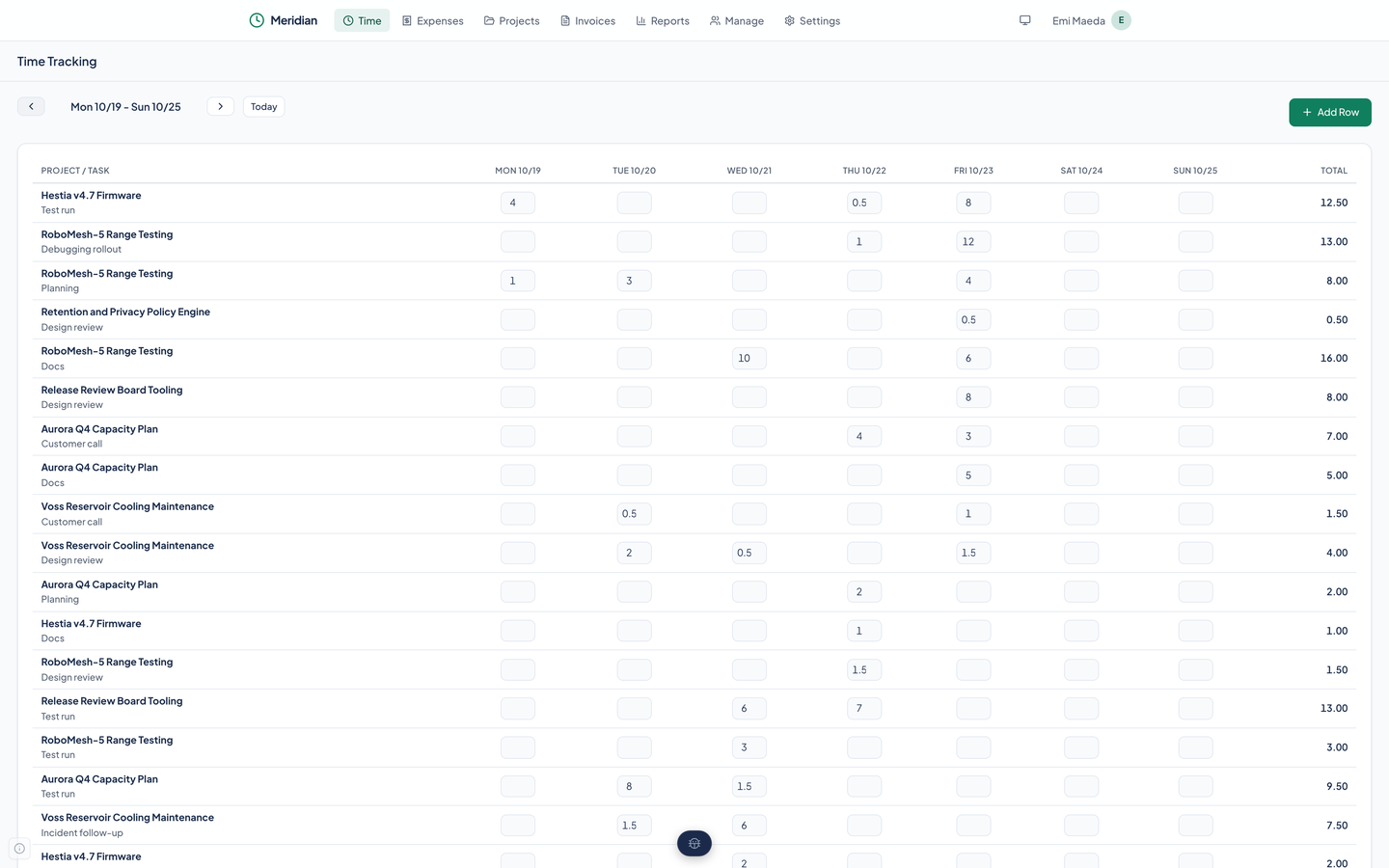
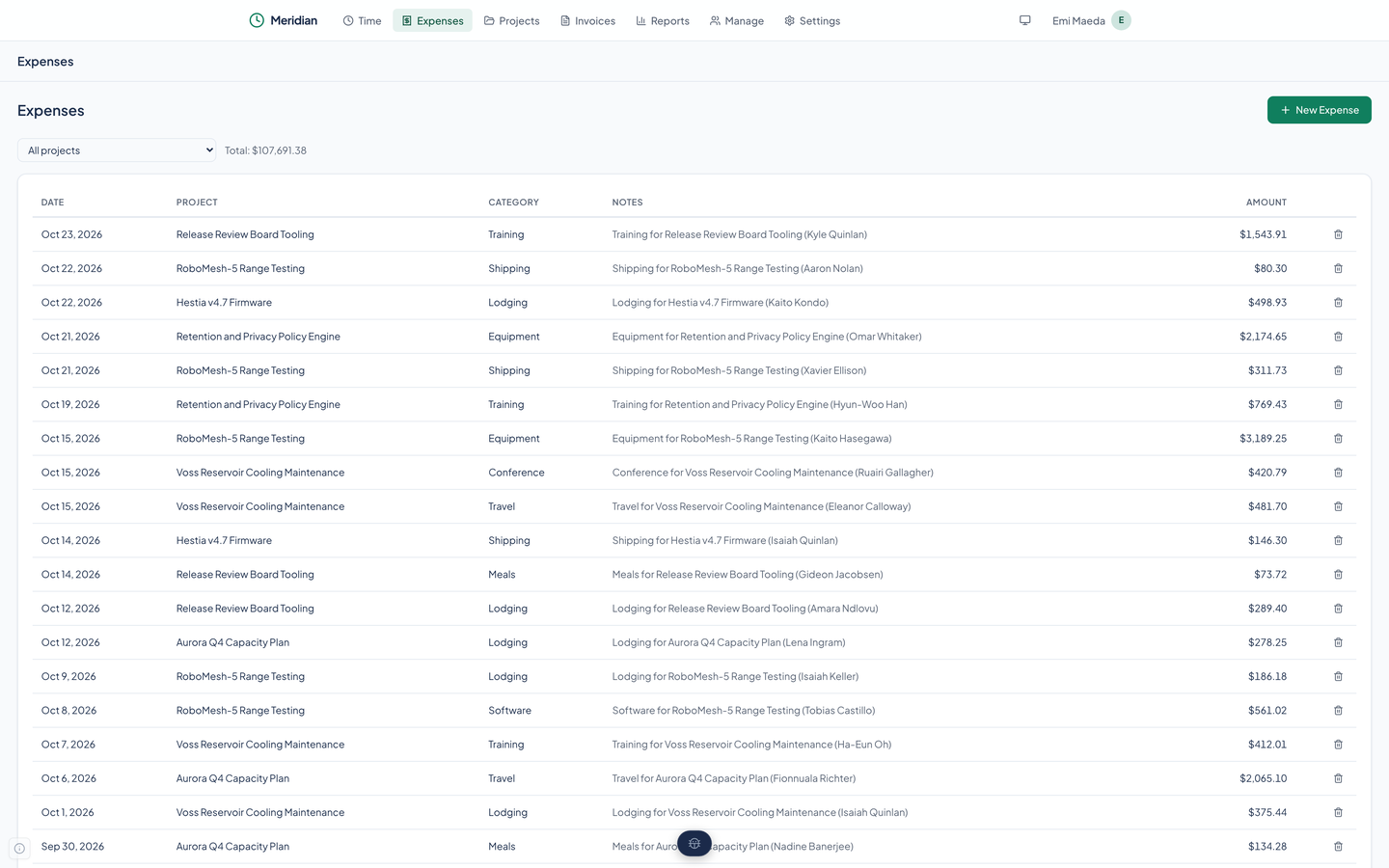
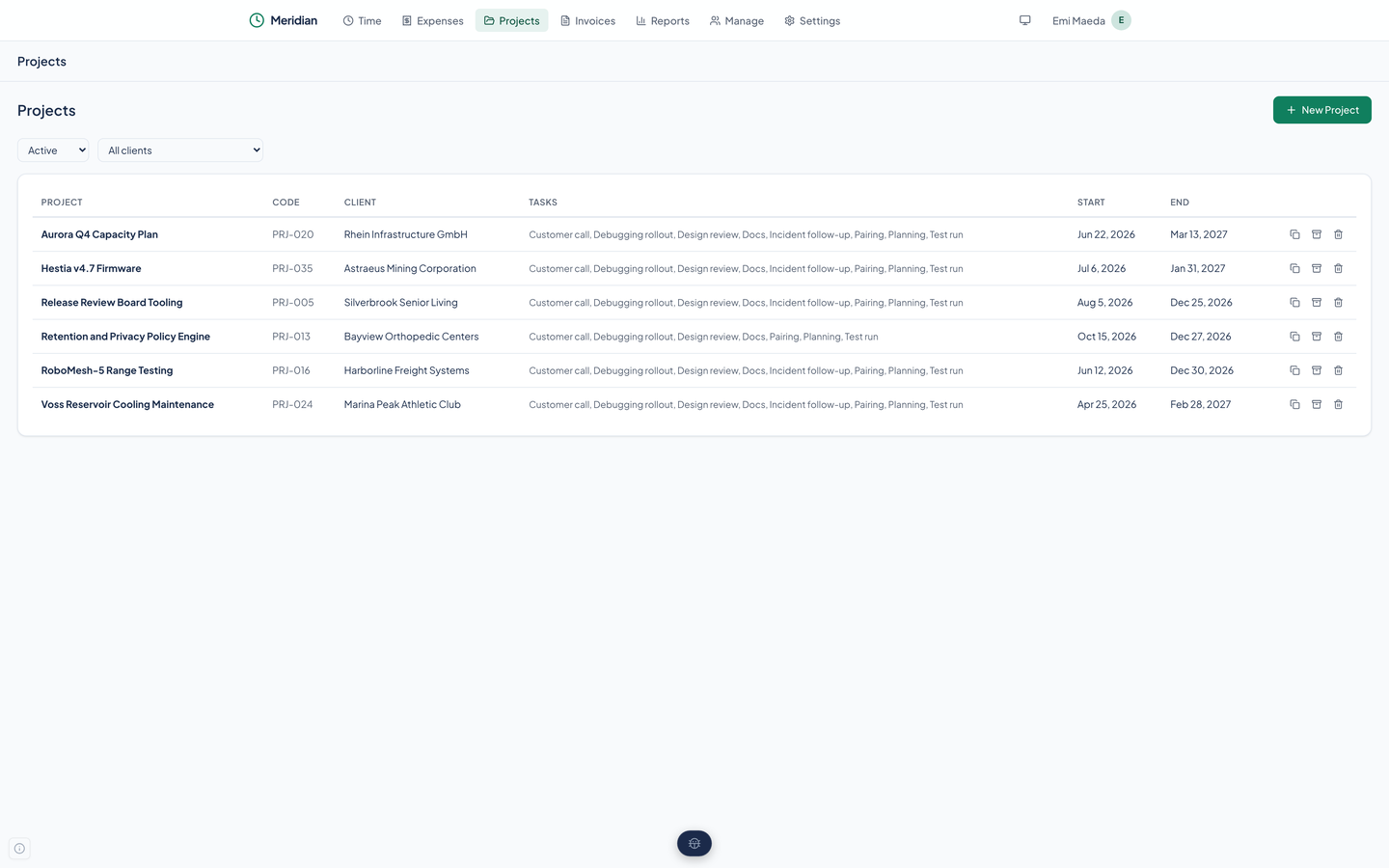
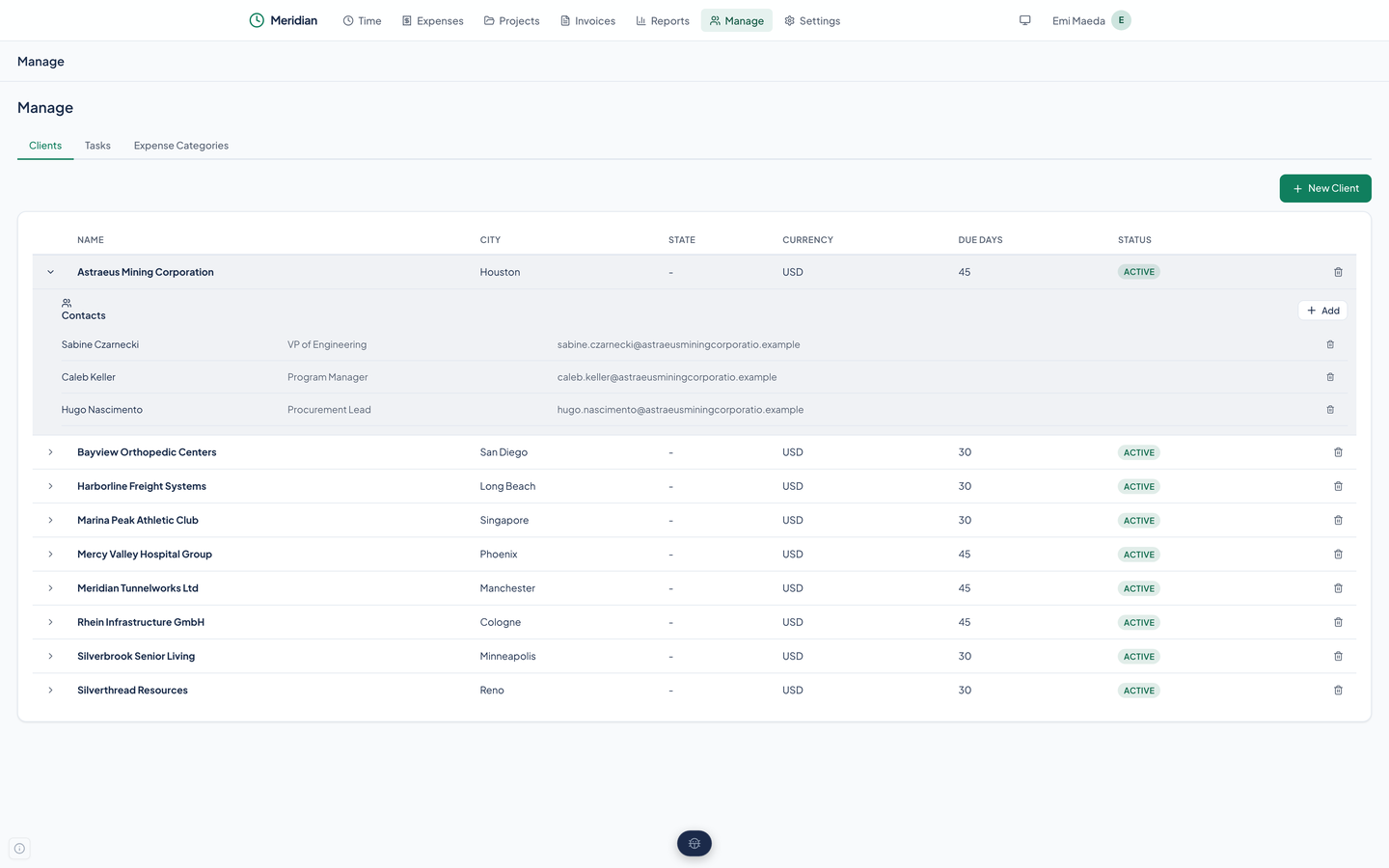
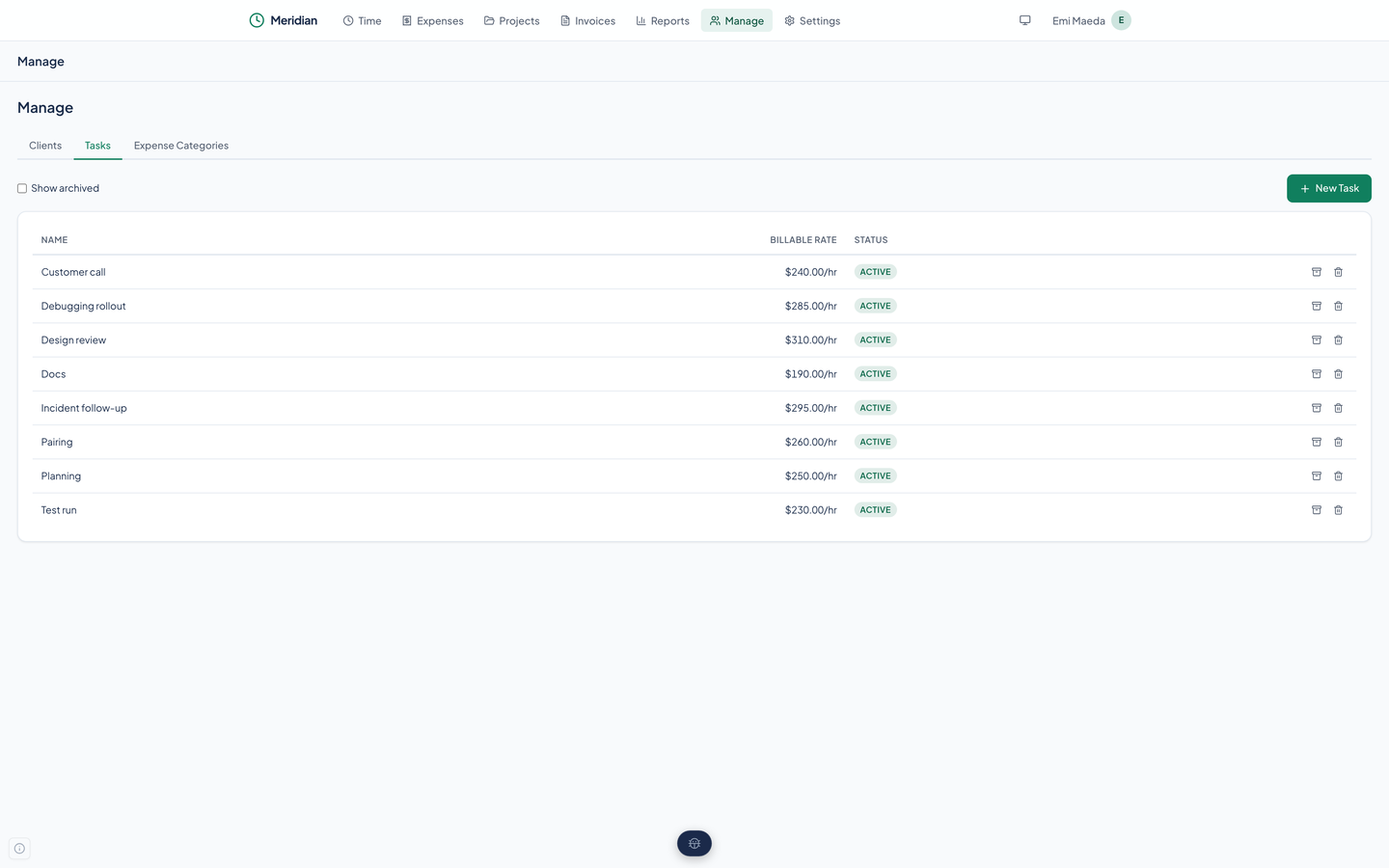
Put hours on the weekly timesheet and expenses on the expense list, each against a project.
Choose a client, tick the unbilled time and expenses, and save a draft with weekly lines.
Download the PDF and send it yourself, then press Mark Sent. Meridian records the status and a history row; it sends nothing.
Press Mark Paid when the money arrives, or Write Off if it never will. Check the receivables report for what is still open.
Meridian is a web app, and this is what its code, tests, and real-browser scans show today. It has a skip link, labeled landmarks, a header navigation that works at every width, and an axe-core scan that finds no serious or critical violations on its nine screens at 375 and 1,440 pixels in light and dark. Nobody has tested it with a screen reader or walked it with only a keyboard, and we do not claim a conformance level for it.
Partly supported
Every page starts with a skip link to the main content, and the header navigation, buttons, filters, and the timesheet's hour cells are standard links, buttons, and fields that take Tab focus. Dialogs are labeled and close on Escape. The code does not move focus into a dialog or trap it there, and nobody has walked every flow with only a keyboard.
Partly supported
Pages have a main landmark and a labeled navigation, buttons and filters carry accessible names, table headers are marked as column headers, and the loading state is announced politely. An axe-core scan finds no violations on the nine screens. Meridian has not been tested with VoiceOver, NVDA, or any other screen reader, so how it reads aloud is unknown.
Partly supported
Before the 10/29/2026 scan the primary buttons measured 2.76 to 1 in light and 3.32 to 1 in dark and the Sent badge 4.24 and 3.9 to 1; both were fixed, and the scan's color-contrast rule now passes on all nine screens in both themes. The scan measures the screens as seeded, with text on its real backgrounds; it cannot judge every state, such as a hover or a disabled button.
Partly supported
The design system's global stylesheet shortens animations and transitions to almost nothing when the system asks for reduced motion. This was read from the stylesheet and not checked in a browser with the setting turned on.
Not yet tested
Nobody has tested Meridian at larger text sizes or browser zoom. The timesheet is a wide grid, so large text may push it into horizontal scrolling.
Partly supported
The header navigation collapses to a drawer on a phone, so every page is reachable at 375 pixels. The scan found no horizontal overflow on any of the nine screens at 375 pixels, and wide tables scroll inside a region the keyboard can reach. Nobody has used it on a phone for real work, and the timesheet is tight at that width.
| Backend |
|
|---|---|
| Frontend |
|
| Data model |
|
| Access |
|
| Quality |
|
| Stands in for | Harvest |
Meridian ships an MCP server so a coding or planning agent can run the billing desk: log time and expenses, fill a month, build and send an invoice, and read the receivables report. It is also the way to edit a record the web app cannot.
list_clientscreate_clientupdate_clientdelete_clientlist_client_contactscreate_client_contactupdate_client_contactdelete_client_contactlist_projectsget_projectcreate_projectupdate_projectarchive_projectduplicate_projectdelete_projectlist_taskscreate_taskupdate_taskarchive_taskdelete_tasklog_timelist_time_entriesupdate_time_entrydelete_time_entryfill_monthlog_expenselist_expensesupdate_expensedelete_expenselist_expense_categoriescreate_expense_categoryupdate_expense_categoryarchive_expense_categorydelete_expense_categorylist_invoicesget_invoicecreate_invoiceupdate_invoiceget_uninvoicedsend_invoicemark_invoice_paidwrite_off_invoiceinvoice_reportaccounts_receivableget_settingsupdate_settingsget_my_identitycheck_service_healthget_diagnosticsIt is in preview, and this site shows it running locally on a fictional company's data. There is no sign-up and no price here. To ask about access, write to contact@renkara.com.
No. Mark Sent changes the invoice's status to sent and adds a row to its history, and that is all. Nothing is mailed. You download the PDF and send it yourself.
Every screenshot shows the Customer Engagements billing desk of StrataForge Robotics, the fictional company from the novel The Deferral, run by the made-up desk lead Emi Maeda. The customers, hours, expenses, and invoices are all invented. No real client or invoice appears anywhere on this site.
Not in the web app yet. You can create and delete clients, projects, tasks, categories, and expenses there, but there is no edit form for any of them. Changes go through the API and the agent tools.
Not yet. A client stores a currency, but every amount in the app and on the PDF is shown in US dollars.
Yes, six: Entertainment, Lodging, Meals, Mileage, Other, and Transportation. Meridian creates them the first time it loads, if there are none. You can add your own on the Manage page and archive or delete the ones you do not use.
No stopwatch: you type hours into the timesheet. Meridian is a web app with a phone layout, and there is no iPhone, iPad, or Mac version.
Write to Renkara Media Group and a person will answer.