
What is owed, and who can ask.
Two reports answer the questions a billing desk gets asked: what is outstanding, and what did we bill. An MCP server with 49 tools puts the same desk in an agent's hands, and it is the way to change anything the web app cannot. Images are real captures of the fictional StrataForge Robotics billing desk.
Accounts receivable
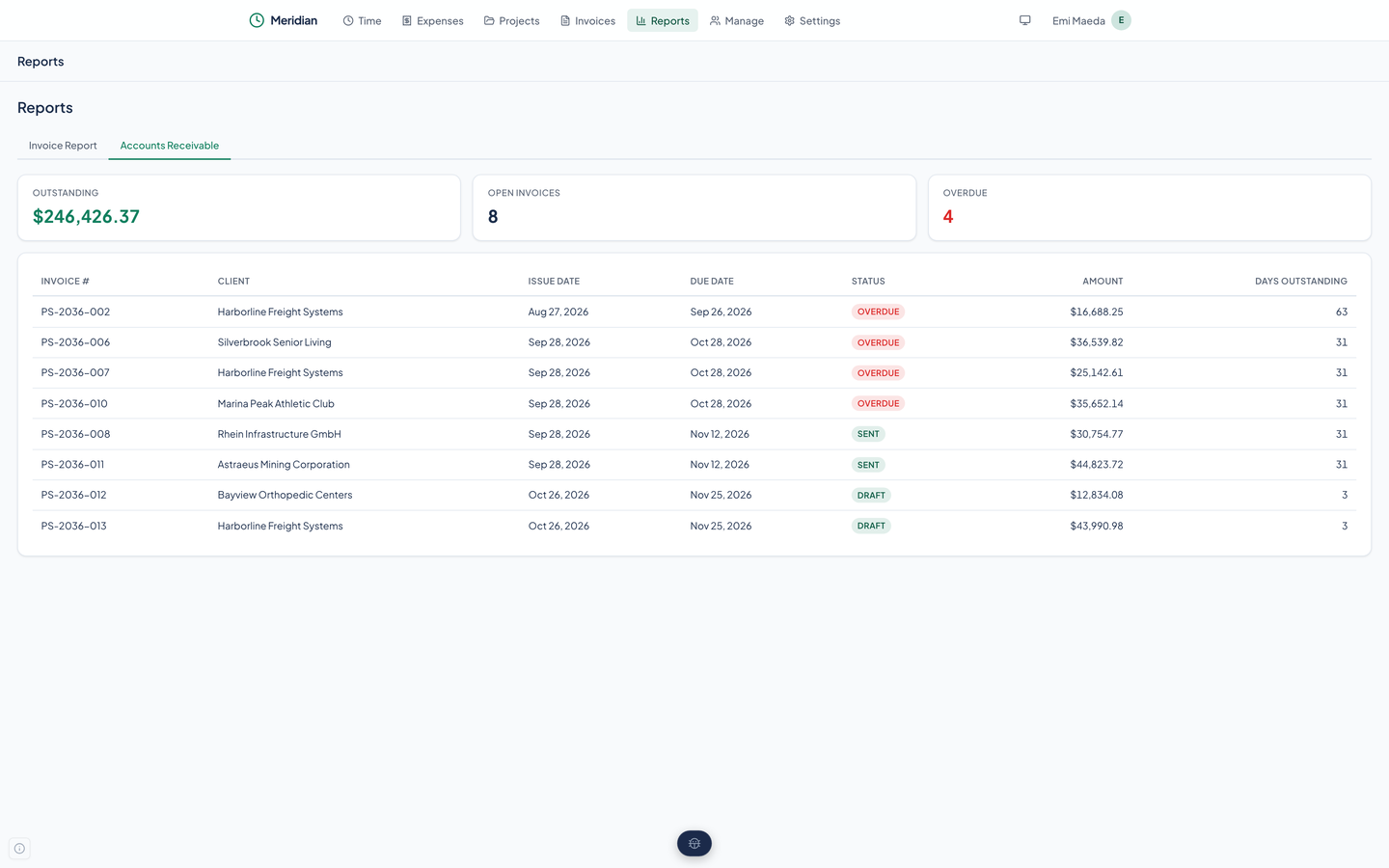
The Accounts Receivable report opens with three cards: the amount outstanding, the number of open invoices, and how many of them are overdue. Under them is a table of each open invoice with its client, dates, a status badge (Overdue, Sent, or Draft), the amount, and its days outstanding.
Overdue here means a sent invoice past its due date. Meridian works that out from the dates; it is not a stored state. The report counts drafts among the open invoices, so the outstanding total includes invoices you have not sent.
The invoice report
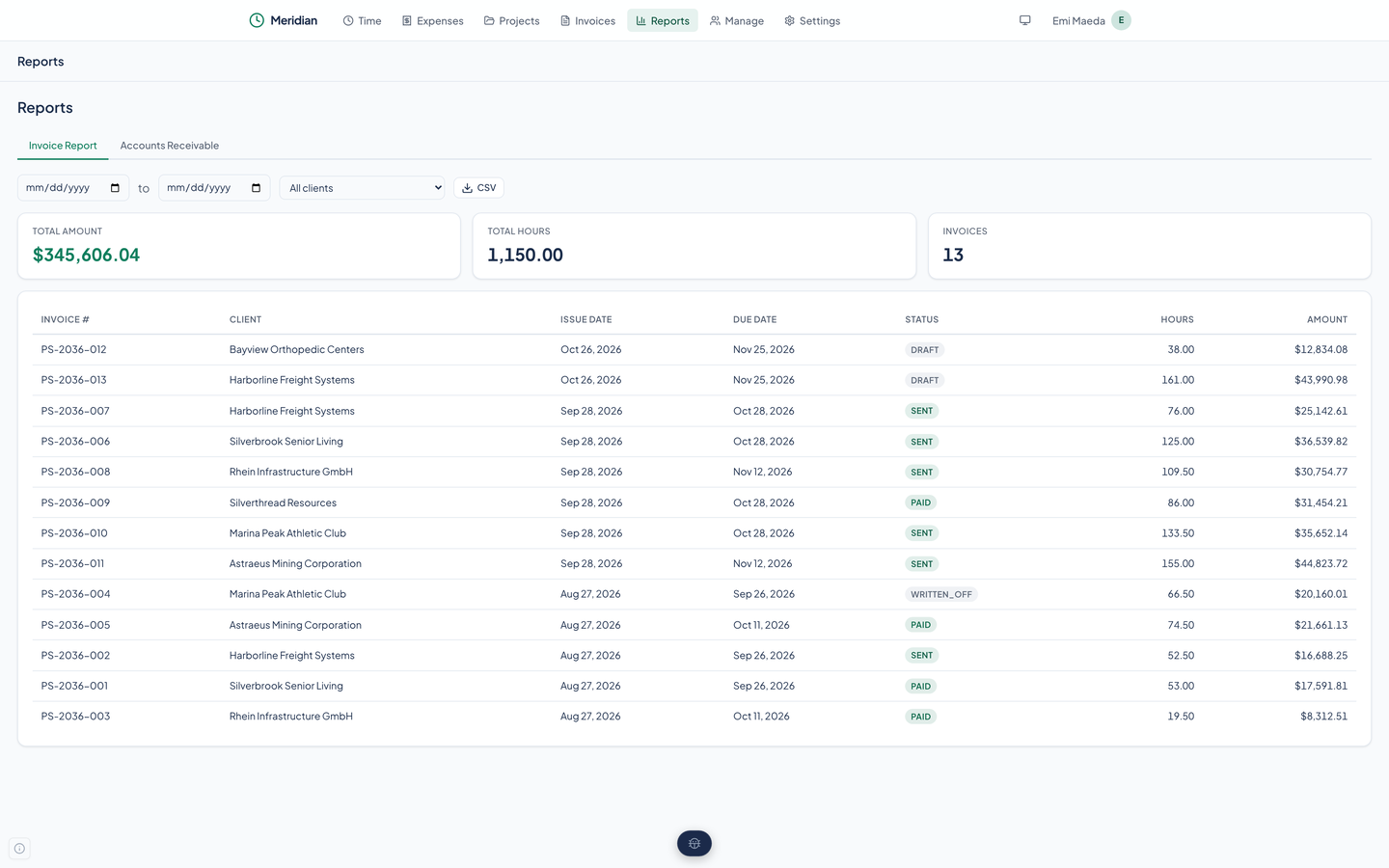
The other tab lists invoices between two dates, for one client or all of them, under three cards: the total amount, the total hours, and the number of invoices. Each row shows the invoice's hours and amount. A CSV button downloads the same table, ready for a spreadsheet.
49 agent tools
Meridian ships an MCP server. A coding or planning agent connected to it can list clients and projects, log time and expenses, fill a month, create an invoice from the uninvoiced entries, mark it sent or paid, and read both reports. Each tool is a thin call to the same API the web app uses.
It also covers what the web app leaves out. There are tools to update a client, contact, project, task, expense, expense category, or time entry, which the web app has no forms for yet, and the month fill.
- Clients and projects
- List, create, update, and delete clients, contacts, projects, and tasks; archive and duplicate a project.
- Time and expenses
- Log, list, update, and delete time entries and expenses, fill a month, and manage expense categories.
- Invoices
- List and get invoices, see what is uninvoiced, create and update one, send it, mark it paid, or write it off.
- Reports and settings
- Run the invoice report and accounts receivable, and read or update the company settings.
The full list is on the home page, under Built for agents as well as people. The send_invoice tool, like the Mark Sent button, only changes the status.
The same API underneath
The web app and the agent tools both use a REST API under /api/v1 for clients, contacts, projects, tasks, time entries, expenses, invoices, reports, and settings. A test checks every call the web app makes against the routes the backend serves, so the app cannot reach for a route that is not there.
Questions about this tool?
Write to Renkara Media Group and a person will answer.